
Disclosure: This review contains affiliate links. I may earn a commission if you buy through them, at no extra cost to you. Written by Michael Montoya. Last updated: November 8, 2026.
Tap-to-pay cards are everywhere now, and with them comes a worry: could someone with a reader in a crowd pick up your card details without touching your wallet? A whole category of RFID-blocking wallets and cards has grown up around that fear.
Wallet Defender is one of them: a card the size of a credit card that you slip into your wallet. The offer page says it “uses advanced RFID-blocking technology to protect you from credit card hackers.” I wanted to know what it claims to do, what it costs, what the guarantee says, and what independent records exist. I went through the offer page and its FAQ, and checked Trustpilot and the BBB.

A credit-card-sized, battery-free card that the brand says blocks wireless scanners from reading the cards in your wallet. Cheap and simple; treat it as extra reassurance, since no test is shown.
- Card-thin, fits any wallet
- No batteries, apps or setup
- One card per wallet, per the brand
- Cheap in multi-packs
- No test shown for blocking claims
- Experts not named
- No Trustpilot or BBB record found
- Two-pack adds shipping
Quick Verdict On Wallet Defender
 Wallet Defender is a thin, battery-free card that the brand says blocks wireless scanners from reading the cards in your wallet. It’s inexpensive, sold in packs starting at $29.99 for two on the offer page, and needs no setup.
The catch is evidence. The offer page makes strong claims, such as “Blocks ALL Wireless Scanners & Hackers,” but shows no test, and I found no Trustpilot profile or BBB listing to check buyer experiences. I’d see it as a cheap extra layer of reassurance, not proven protection.
What is Wallet Defender?
 Wallet Defender is a card-sized insert for your wallet or purse. The offer page’s FAQ says it’s “the exact same size and thickness as a standard credit card, so it fits seamlessly in any wallet or cardholder.”
The brand describes it as “passive technology,” with “nothing to charge, sync, or update.” You put it in your wallet next to your other cards and leave it there.
The offer page sells it in packs, starting with two cards. The FAQ says “One Wallet Defender card protects your entire wallet,” so the extra cards in a pack are for other wallets, purses, or family members.
What is RFID Technology?
 A generic illustration of an RFID chip and its antenna.
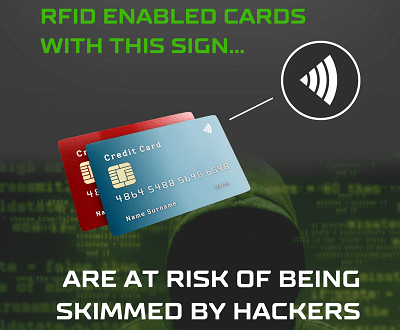
RFID (radio-frequency identification) and NFC are the wireless technologies behind tap-to-pay cards, hotel key cards, and some ID cards. You can usually spot a contactless card by the wave-shaped symbol on it.
The concern behind products like Wallet Defender is that someone could read a contactless card from a short distance without your knowledge. The offer page frames this as protection from “credit card hackers.” I didn’t find an official source that measured how common this kind of theft is, so I can’t tell you how big the real risk is. That’s worth keeping in mind before paying for protection.
How Does Wallet Defender Work?
 The offer page’s FAQ says it “uses advanced signal-blocking technology to prevent wireless scanners from reading the chips in your cards,” and that “it creates an invisible field around your wallet that prevents signals from entering.”
Another FAQ line mentions “signal-blocking materials,” but it doesn’t name them or show a test of how far the protection reaches. The earlier version of this review said the card jams and scrambles signals. I couldn’t confirm that on the brand’s pages, so I’ve removed it. Without a test, I can only report what the brand says it does.
Key Features of Wallet Defender
These are the features the offer page highlights, with my notes on each.
Ultra-Thin Design
 The offer page says it’s “As thin as a credit card and light as air.” A brand graphic labels it 0.03 inches thick. It shouldn’t add noticeable bulk.
No Batteries Or Setup
The offer page says it works around the clock with “No Apps, Batteries, or Setup Needed.” That’s simple: put it in and forget it.
One Card For The Whole Wallet
The FAQ says, “Its signal-blocking radius covers multiple cards at once.” The brand doesn’t say how large that radius is, so in a big purse, placement may matter.
Durable
The offer page calls it “100% Waterproof, Crush-Proof & Built to Last,” while the FAQ says it’s “tear-proof, water-resistant.” Waterproof and water-resistant aren’t the same, so I’d take the softer FAQ wording. The earlier version of this review said it’s made of PVC; I didn’t find a material listed.
“Recommended By Security Experts”
The offer page uses this line twice but names no expert or organization. The earlier version of this review also said it had won awards, which I couldn’t confirm and have removed.
30-Day Money-Back Guarantee
 The FAQ says, “If you’re not satisfied, simply return it for a full refund.” I couldn’t find the separate returns policy text on the offer page, so I’d ask support how to start a return before you need one.
Benefits Of Using Wallet Defender
 Another brand graphic; its claim is the brand’s.
If the brand’s claims hold, these are the benefits.
Peace Of Mind
For people who worry about contactless skimming, a card that sits in the wallet and needs no thought is an easy answer.
Convenient
There’s no setup, no charging, and no need to change wallets.
Covers Several Card Types
The FAQ lists “credit and debit cards, IDs, access badges, hotel key cards, passports, and transit passes.”
Low Cost
The smallest order is two cards for $29.99 plus shipping, and a card can stay in the wallet you already own.
Specifications of Wallet Defender
These are the details the brand gives:
- Size: “the exact same size and thickness as a standard credit card,” per the FAQ.
- Thickness: 0.03 inches, per a brand graphic.
- Power: none; “passive technology.”
- Durability: “tear-proof, water-resistant,” per the FAQ.
- Coverage: one card “protects your entire wallet,” per the FAQ.
The brand doesn’t list materials, blocking frequencies, or test results on the offer page.
Pros and Cons
How I weigh it, from the offer page and its FAQ:
How to Use Wallet Defender?
 Using it is simple, according to the brand.
Slide It In
Put the card in your wallet or purse with your other cards. The FAQ says to just place it in your wallet and it “works automatically.”
Keep It Close
Since the brand says one card covers “multiple cards at once,” keep it in the same section as your contactless cards, especially in a large bag.
Handle with Care
The FAQ says it’s tear-proof and water-resistant, but treat it like any other card and avoid bending it hard.
Nothing To Maintain
The FAQ says it “doesn’t wear out” as long as it’s in your wallet. There’s nothing to maintain.
Is It Worth Buying a Wallet Defender?
It depends on how much the risk worries you. At about $15 a card, it’s a low-cost way to worry less. But the brand gives no test results, and I couldn’t find an independent measure of how common contactless skimming is, so I can’t tell you it makes a real difference.
If you’re worried about card fraud in general, checking your statements and setting up alerts with your bank are simple habits that don’t depend on any product. Wallet Defender can sit alongside those, not replace them.
User Reviews
The earlier version of this review quoted buyers I couldn’t trace, so I’ve removed those quotes.
I found no Trustpilot profile under getwallet-defender.com or walletdefender.com, and a BBB search for “Wallet Defender” returned no results. The offer page shows its own reviews, such as one from Michael O.: “The Wallet Defender is a must-have for anyone concerned about identity theft and fraud.” Another, from Orlando H., is more measured: “It may not be perfect, but its effectiveness, ease of use, and sleek design make it a worthwhile investment.” Seller-chosen reviews lean positive, so I’d read them as best cases.
Wallet Defender Claims Vs What I Found
I compared the offer page’s claims with its own FAQ on November 8, 2026.
| Claim | What I found |
| “Blocks ALL Wireless Scanners & Hackers” | No test or lab result shown. |
| “100% Waterproof, Crush-Proof” | The FAQ says “tear-proof, water-resistant,” a softer claim. |
| “Recommended By Security Experts” | No expert or organization is named. |
| One card “protects your entire wallet” | The FAQ mentions a “signal-blocking radius” but doesn’t give its size. |
Where Should You Buy It?
 This screenshot shows older prices; the current ones are in the table below.
On November 8, 2026, the offer page showed:
| Package | Price | Listed Retail | Shipping |
| 2 cards | $29.99 | $59.99 | Plus shipping |
| 6 cards (Buy 2, Get 1 Free) | $59.98 | $179.97 | Free |
| 10 cards (Buy 3, Get 2 Free) | $89.97 | $299.95 | Free |
| 16 cards (Buy 4, Get 4 Free) | $119.96 | $479.92 | Free |
By my math, that’s about $15 a card in the two-pack and about $7.50 a card in the 16-pack. Since the brand says one card covers a whole wallet, most households need only a few. The FAQ says orders ship “within 24–48 hours” and arrive “within 3-5 business days” on average.
Frequently Asked Questions
These are the questions I’d want answered first.
Can Wallet Defender Interfere with Your Phone?
The brand’s pages don’t say. They only talk about blocking scanners from reading the cards in your wallet, so I have nothing to go on either way.
Will Wallet Defender Demagnetize Your Credit Cards?
The brand doesn’t mention magnets, and it says the card uses “passive technology.” I found nothing suggesting it affects magnetic stripes.
How Many Cards Can Wallet Defender Protect?
All the cards in one wallet, according to the FAQ: “One Wallet Defender card protects your entire wallet.”
Can Wallet Defender Be Used with Different Wallet Sizes?
Yes. The FAQ says it “fits seamlessly in any wallet or cardholder.”
Does Wallet Defender Actually Work?
I can’t confirm it. The brand says it blocks wireless scanners, but it shows no test or lab result, and I found no independent reviews. Without a test, I’d treat its protection as unproven, however reasonable the idea sounds.
Do You Really Need RFID Blocking?
That’s the bigger question. I didn’t find an official source that measures how often contactless cards are skimmed, so I can’t say the risk is high. If it worries you, a blocking card is a cheap way to address it; if it doesn’t, bank alerts and statement checks are useful habits whatever the source of fraud.
What Does RFID Blocking Mean?
It means stopping radio signals from reaching the chips in contactless cards, so a reader can’t communicate with them. RFID-blocking wallets do this with built-in shielding; Wallet Defender says it does it with a single card in your wallet.
Is RFID Blocking Safe For Your Health?
The brand calls it “passive technology,” with no battery or charging. I found nothing on its pages suggesting any health concern, and it makes no health claims either way.
Can You Use It With An RFID-Blocking Wallet?
Yes. The FAQ says it “works even better when combined with an RFID-blocking wallet.”
Alternatives To Consider
If you’re weighing your options, here’s how the main choices compare in general terms:
- A blocking card like Wallet Defender: cheap and keeps your current wallet; the brand shows no test.
- An RFID-blocking wallet: shielding is built into the wallet itself, so you’d replace your wallet.
- Card sleeves: individual sleeves for each card; more fiddly, since you take each card out to pay.
- Bank alerts and card controls: not a blocker, but they help you spot and stop fraud quickly, whatever its source.
For most people, I’d start with bank alerts, then add a blocking card or wallet if contactless skimming still worries you.
Support Team
The offer page has Support and Returns links at the bottom. I’d use those to ask how returns work before you buy, since the separate policy text wasn’t visible to me.
Final Verdict
Yes, if you want a cheap, set-and-forget card for extra peace of mind about contactless cards. I gave Wallet Defender 8.0 out of 10 for its card-thin design, no-power operation, one-card-per-wallet coverage, and low price in packs. It isn’t higher because the brand shows no test of its blocking claims, names no experts, and I found no independent buyer reviews. Pair it with bank alerts and statement checks, which help whether or not you buy it.


