
Disclosure: This review contains affiliate links. I may earn a commission if you buy through them, at no extra cost to you. Written by Michael Montoya. Last updated: November 8, 2026.
Plenty of people have photos spread across an old laptop, a phone that’s nearly full, and maybe a tablet in a drawer. Losing a phone or a hard drive can wipe out years of them, and many people never get around to a proper backup because it seems like a chore.
ThePhotoStick Omni is sold as the fix: a USB stick with an adapter that you plug into a computer, phone, or tablet, then tap “GO” to find and copy your photos and videos.
I wanted to know how much it really holds, what you have to install, what the return terms say, and what buyers report. I went through the offer page, ThePhotoStick’s own store, FAQ, return policy, and system requirements, plus Trustpilot and the BBB.
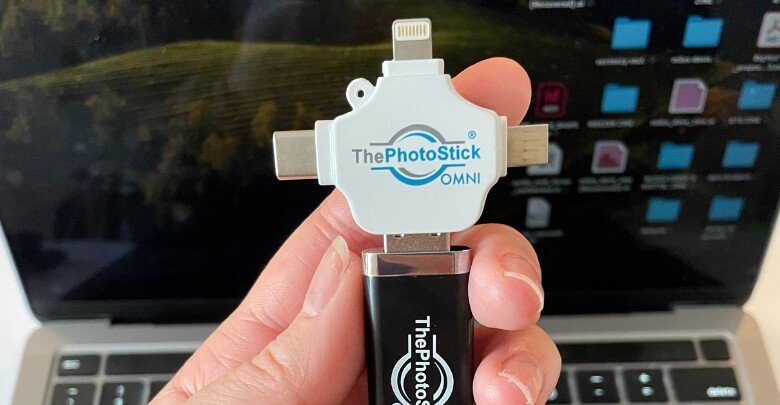
A USB backup stick with an adapter that finds and copies photos and videos from computers, phones, and tablets, with no subscription. Simple, but treat it as one copy, not your only backup.
- No subscription or account needed
- Runs from the stick on computers; free phone app
- Skips duplicate files
- Works on Windows, Mac, iOS and Android
- Offer page photo counts beat the brand's own FAQ
- Trustpilot 3.0 from 572 reviews
- Written warranty is only 30 days
- No encryption mentioned
Quick Verdict
ThePhotoStick Omni is a simple, subscription-free way to copy photos and videos from a computer or phone onto a USB stick. It works on Windows, Mac, iPhone, and Android, and skips duplicates. The catch: the advertised photo counts are higher than the brand’s own FAQ, the written warranty is only 30 days, and Trustpilot buyers rate it 3.0 out of 5, with complaints about detection and support. The brand’s own Omni page also listed it for less than the offer page when I checked. I’d treat it as one backup copy, not the only one.
What is ThePhotoStick Omni?
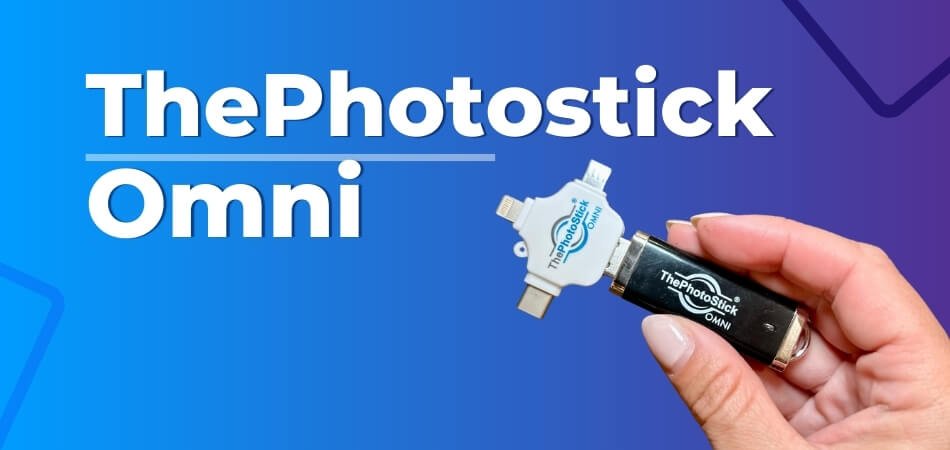 ThePhotoStick Omni is a USB flash drive with backup software on it. On a computer, the program runs from the stick. On a phone or tablet, you use ThePhotoStick’s free app. Either way, it searches the device for photos and videos, copies them to the stick, and skips duplicates if you leave that setting on.
The brand’s photos show the stick with a small white adapter that has Lightning, USB-C, and micro-USB tips, which is how one stick fits computers and phones. Your files stay on your device after the backup; the FAQ says the software is designed so files are backed up “without ever deleting them from your device.”
It’s made by Prairie IT LLC of Haxtun, Colorado, according to the BBB, and the offer page says it was created by Mark Oman, “a former VP & GM of Hewlett Packard.”
What Features Does ThePhotoStick Omni Offer?
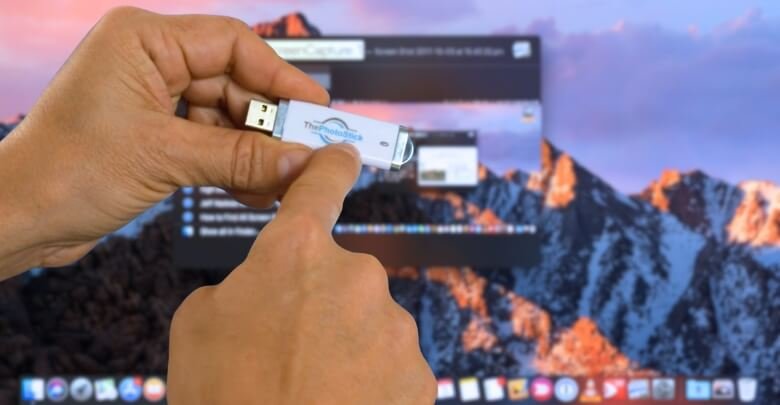 This photo shows an older white ThePhotoStick, not the black Omni model.
Below is what the brand promises, with my take on each.
1. File Safety
The offer page says the stick “Stores your files safely and away from hackers.” That’s true in the sense that a stick in a drawer isn’t online. But I didn’t see encryption mentioned on the pages I read, so I’d assume anyone who finds the stick can open it. A stick can also be lost, broken, or fail, so I’d treat it as one copy of your photos, not the only one.
2. Durability
The brand doesn’t give a durability rating or lifespan on the pages I read. It’s a standard USB flash drive, so I’d keep it dry, out of heat, and in a safe place. The brand describes its newer Omni X as having a “rugged metal design”; it doesn’t describe the original Omni that way.
3. Storage Capacity
The Omni comes in 32GB, 64GB, 128GB, and 256GB on the offer page, and the brand store also mentions a 512GB Omni. The photo counts depend on which page you read; I cover that in the storage section below.
4. File Types It Finds
The FAQ says it saves “your standard JPEG, HEIC, PNG, GIF, MOV, and MPEG4” files, among many others. HEIC matters because it’s the default photo format on iPhones. The offer page adds that it backs up documents, voice memos, and music, “over 100 different file types.”
5. The Backup Process
The pitch is “click ‘GO’” and wait. The FAQ is a little more honest about timing: “it will take some time for ThePhotoStick Omni to find each of your photos and safely back them up,” and that time depends on how many files you have and the device. So it’s easy, but not instant on a big library.
ThePhotoStick OMNI Technical Facts
Here are the details I could confirm on ThePhotoStick’s own pages.
- Capacities on the offer page: 32GB, 64GB, 128GB, and 256GB.
- Windows: Windows 7 SP1 and later.
- Mac: macOS 10.13 and later.
- iPhone and iPad: iOS and iPadOS 13.0 and later.
- Android: 8.0 and later.
- File types: common photo and video formats, including HEIC and MOV, plus documents and music, per the brand.
- Software: runs from the stick on computers; free app on phones and tablets.
- Duplicates: the FAQ describes a “Skip duplicate” setting for the computer software.
Storage Space Of ThePhotoStick Omni
 This is where the brand’s own numbers disagree, and it’s worth knowing before you choose a size. The offer page and ThePhotoStick’s FAQ give different photo counts for the same capacity.
| Capacity | Offer page says | Brand FAQ says (approximate) |
| 32GB | 15,000 photos and videos | 12,800 photos |
| 64GB | 30,000 photos and videos | 25,600 photos |
| 128GB | 60,000 photos and videos | 51,200 photos |
| 256GB | 120,000 photos and videos | 102,400 photos |
The FAQ adds that “exact storage amounts vary depending on file type and size.” I’d trust the lower FAQ numbers, and remember that videos take far more space than photos. A phone that shoots a lot of 4K video can fill a stick much faster than either column suggests.
My rule of thumb: check how much space your photos and videos take on your phone or computer now, then pick a stick with room to spare.
What The Brand’s Pages Show About Daily Use
ThePhotoStick’s own pages and support articles cover everyday use in some detail.
What The Photos Show
The stick itself has a standard USB plug for computers, and the brand’s photos pair it with the three-way adapter mentioned above. I didn’t find a written list of what’s in the box, so check the order page. It’s worth checking that one of those tips fits your phone before you order.
Ease of Use
On computers, the FAQ says you don’t need to install anything: “you simply need to plug it into an available USB slot and it’s ready to run.” The one exception it names is older Windows 7 computers, which may need a newer .Net Framework. On phones, you install the free app first. That’s a small catch, since the offer page says “NO SOFTWARE TO INSTALL.” It’s true on a computer, but not on a phone.
One more thing the FAQ warns about: antivirus programs. It says that “your computer may not detect ThePhotoStick Omni” after some antivirus updates, and suggests allowing ThePhotoStick.exe to run. So don’t assume the stick is broken.
Performance and Storage
The offer page says it finds and sorts “1000s of your favorite photos and videos in minutes.” I didn’t find a speed figure on the brand’s pages, and the FAQ says the time varies. A large library on an older computer will take a while, so it’s best to start a backup when you won’t need the device for a while.
How Does ThePhotoStick Omni Work?
The process has three steps on every device, according to the brand.
Plug & Play
Plug the stick into a computer’s USB port, or use the adapter on a phone or tablet. On a computer, the program starts from the stick. On a phone, you open the app.
Scan & Backup
Tap or click “GO” and the software searches the device for photos and videos, then copies them to the stick. With “Skip duplicate” turned on, it copies each file once even if it appears in several folders.
Store & Access Files
When the backup finishes, the files sit on the stick in folders. The offer page says it “organizes them all FOR YOU automatically on the stick.” You can unplug it and open the files on another computer. There’s no subscription; the brand says there are “no monthly charges or download costs for using the app.”
Who Should Use ThePhotoStick Omni?
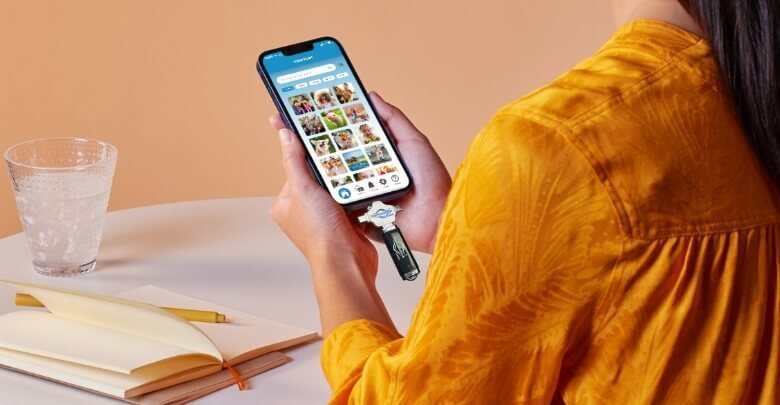
 The stick in this photo is the older white model, not the black Omni.
Everyday Photo Takers
If your phone is always full and you never back it up, a one-click copy to a stick is better than nothing. It’s simple, and there’s no monthly fee.
Parents and Memory Keepers
For a family with years of photos on one computer, or a parent who isn’t comfortable with cloud accounts, this is who the product is built for. The FAQ also says “Many people leave the ThePhotoStick Omni plugged in and do a weekly back-up.”
Professionals and Creators
I’d be more careful here. A photographer or video creator usually has large RAW and video files and needs more than one backup copy. A stick with no encryption isn’t a professional backup plan. For that kind of library, a larger external drive plus a cloud backup is usually a better fit.
Overall, it suits people who want simple and won’t otherwise back up at all. It’s less suited to people with large, high-value libraries.
Pros And Cons Of ThePhotoStick Omni
Here’s how I’d weigh it, based on the brand’s pages and buyer reviews.
How to Use ThePhotoStick Omni With Computers?
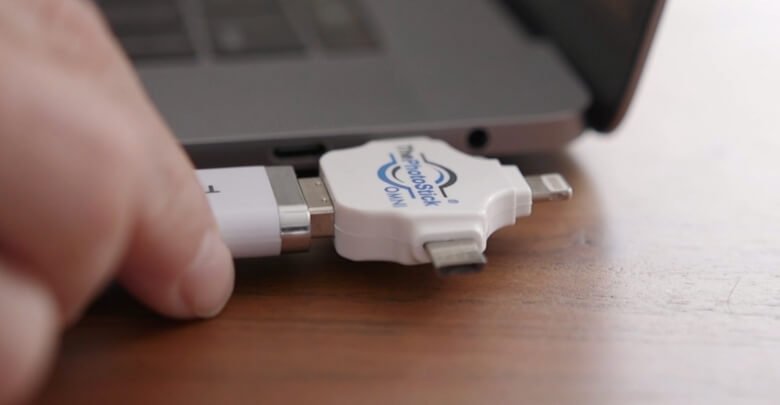 Pictured: the older white stick fitted with the Omni’s adapter.
The FAQ gives the core steps for Windows; the extra tips are mine.
Step 1: Getting Things Ready
Copy photos from other places, such as old phones or memory cards, onto the computer first, so one backup catches everything. Close other heavy programs if your computer is slow.
Step 2: Opening the Program
Plug the stick into a USB port. The FAQ says, “If it does not open on its own, find and open your File Explorer,” then double-click ThePhotoStick.exe. If nothing happens, check your antivirus, as the FAQ suggests.
Step 3: Hitting GO
Once the program loads, follow the on-screen instructions and click “GO.” The stick scans the computer and copies photos and videos into folders. Leave it plugged in until it says it’s finished.
How to Use ThePhotoStick Omni With Your Phone?
Phones work a little differently, because they need the app.
Downloading the App
Install “ThePhotoStick Omni” from the Google Play store or the App Store. When asked, allow the app to access your photos, videos, and audio files. The app is free.
Plugging in the Adapter
Attach the adapter tip that fits your phone, then plug the stick in. On Android, the FAQ says to tap “Get Started” when the app loads. On iPhone, it says to tap “Settings” when prompted, then “PHOTOSTICK,” then “Done.”
Backing Up Your Files
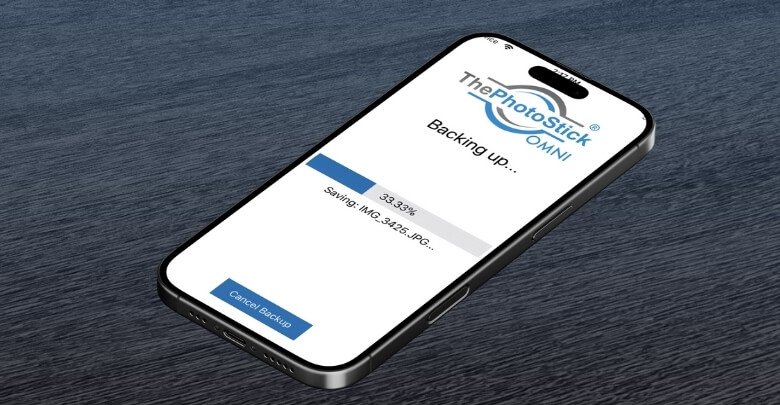
On iPhone, confirm the device is detected, tap “Main Menu,” then “Backup Files Now!” The backup takes longer with more photos. Keep the phone unlocked and plugged in until it finishes.
How to Start Thephotostick Omni on Mac?
On a Mac, the steps are close to Windows.
Plugging in the Device
Plug the stick into a USB port. The FAQ says to double-click the desktop shortcut labeled PHOTOSTICK. If no icon appears, open Finder and double-click PHOTOSTICK under devices.
Launching the App
Inside the stick’s window, double-click ThePhotoStick_Mac. On newer Macs with only USB-C ports, you’ll need the adapter’s USB-C tip.
Running The Backup
Once it loads, follow the on-screen instructions and click “GO.” Your Mac needs macOS 10.13 or later, according to the system requirements.
How Much Does ThePhotoStick Omni Cost?
On November 8, 2026, the offer page showed these prices:
| Capacity | Price | Listed Retail | Shipping |
| 32GB | $69.99 | $84.99 | Not free |
| 64GB | $89.99 | $119.99 | Free |
| 128GB | $109.99 | $169.99 | Free |
| 256GB | $149.99 | $269.99 | Free |
ThePhotoStick’s own Omni page listed the same Omni sizes for less on November 8, 2026: $44.99 for 32GB, $59.99 for 64GB, $84.99 for 128GB, and $138.99 for 256GB, with free U.S. shipping from 64GB. That’s $11 to $30 less than the offer page, so I’d compare before ordering.
The offer page also gives a discount on each extra stick, from 53% off for the 32GB to 60% off for the 256GB, which helps if you’re buying for family.
ThePhotoStick’s own store also sells a newer model, ThePhotoStick Omni X, launched in April 2026, at $59.99 for 32GB, $69.99 for 64GB, $99.99 for 128GB, and $149.99 for 256GB, with free U.S. shipping on orders over $50. That’s cheaper than the offer page at 32GB, 64GB, and 128GB and the same at 256GB, and the brand says the Omni X has “faster upload speeds.” I’d compare both before ordering.
For context, a cloud plan costs a monthly fee, while the stick is a one-time payment. The trade-off is that a stick is one physical copy you have to keep safe and remember to update.
Where To Get ThePhotoStick Omni
You can order through the offer page linked here or from ThePhotoStick’s own store at thephotostick.com. The offer page says, “Purchasing here is buying directly from ThePhotoStick, the inventors of this innovative solution,” and that ThePhotoStick has partnered with GiddyUp for the offer.
Before checkout, I’d check:
- Which model you’re getting, the Omni or the newer Omni X, and the capacity.
- That the adapter matches your phone’s port.
- The return terms, since shipping and taxes aren’t refunded.
Will ThePhotoStick Omni Recover Deleted Photos?
 No, not in the sense of undeleting files. It’s a backup tool, not a recovery tool. It can only give back photos it copied before they were lost.
Only What Was Backed Up
The stick copies what’s on your device at the time of the backup. If a photo was already deleted before you ran it, the stick won’t find it. That’s why the brand’s advice about weekly backups matters.
Restoring From The Stick
Once photos are on the stick, you can copy them back to a new phone or computer. That’s the real value: if your phone dies next month, the copies you made today are still on the stick. I’d keep the stick somewhere separate from the computer, so one accident doesn’t take both.
Customer Reviews Of ThePhotoStick Omni
The earlier version of this review quoted named customers I couldn’t trace, so I’ve replaced them with reviews I could check.
On Trustpilot, ThePhotoStick is rated 3.0 out of 5 from 572 reviews, with 31% five-star and 59% one-star. The page also notes that “This company hasn’t invited customers recently, so reviews may not be representative,” and that the company “Replied to 100% of negative reviews.”
Recent complaints are mostly about software and orders. Bill Cavers wrote in January 2026 that “on several occasions the program wouldn’t recognize the Photostick on reinsertion and I had to start from scratch.” Rob Gibbons, ordering from New Zealand in May 2026, wrote, “I ordered the android photostick from NZ for about $100 and received the iPhone version.” Karly wrote in April 2026, “Seems pretty shady to me and they do not stand behind their products and their misinformation.”
There’s praise for support too. Ben McLeod wrote in July 2026, “PhotoStick customer support worked with me over 2 days diligently trying to find a fix.”
The brand store shows its own reviews, including a 4.5 rating from 20 reviews for the Omni X. Seller-hosted reviews lean positive, so I’d give Trustpilot more weight.
ThePhotoStick Omni Claims Vs What I Found
I compared the offer page’s main claims with ThePhotoStick’s own FAQ and policies, all read on November 8, 2026.
| Claim | What I found |
| “Holds up to 120,000 photos & videos” | True only for 256GB on the offer page’s math. The brand FAQ says about 102,400 photos for 256GB. |
| “NO SOFTWARE TO INSTALL” | True on computers. Phones and tablets need the free app. |
| “Stores your files safely and away from hackers” | It’s offline, but I saw no mention of encryption, so I’d assume a lost stick can be read. |
| “Over 1.5 Million People Use ThePhotoStick® OMNI” | The brand’s home page says “over 2 million users” for all its sticks. I couldn’t check either figure. |
| “if you don’t love it, we’ll fix it” | The written warranty covers defects “in the first 30 days after shipment,” and it names ThePhotoStick and ThePhotoStick Mobile, not the Omni. |
Is ThePhotoStick Legit?
Yes, it’s a real product from a real company. The BBB lists ThePhotoStick under Prairie IT LLC in Haxtun, Colorado, in business since 2012, with Mark Oman as founder. The BBB rating is A-, with “15 complaint(s) filed against business” in the last three years, and the business isn’t BBB accredited. One BBB reviewer, Belinda R, wrote, “The worst costumer service cant get ahold of them by phone emails take forever.”
So it’s legit, but buyer experiences are mixed. The product does a simple job, and the complaints I read were about the software not detecting the stick, a wrong version shipped, or slow support.
What Is ThePhotoStick’s Return Policy?
The offer page promises a “30-DAY MONEY BACK GUARANTEE.” ThePhotoStick’s return page gives the details:
- You can return it “for any reason within 30 days, beginning the date of delivery, for a full refund of your purchase amount.”
- “Shipping and handling charges and taxes paid (e.g. state, customs, VAT) are non-refundable.”
- You email returns@thephotostick.com to get return instructions.
- The limited warranty covers “defects in materials and workmanship” in the first 30 days after shipment. It names ThePhotoStick and ThePhotoStick Mobile; the Omni appears only in the liability line, so I’d ask support how it applies.
That 30-day warranty is short for a storage device. Test the stick with a full backup soon after it arrives, while you can still return it.
FAQs
Here are short answers to the questions I’d ask first.
Is The PhotoStick OMNI Easy to Use?
Yes, for most people. On a computer, it runs from the stick; on a phone, you install a free app first. The FAQ notes that a big library takes time to back up.
How Many Pictures Does a Photo Stick Hold?
It depends on size. ThePhotoStick’s FAQ estimates about 12,800 photos for 32GB, 25,600 for 64GB, 51,200 for 128GB, and 102,400 for 256GB. Videos take much more space.
Does ThePhotoStick Work With Your Device?
It works with Windows 7 SP1 and later, macOS 10.13 and later, iOS and iPadOS 13.0 and later, and Android 8.0 and later, according to the brand. Check the adapter fits your phone’s port.
Does it Work on Mobile Devices?
Yes, with the free ThePhotoStick Omni app from the App Store or Google Play and the adapter. One Trustpilot reviewer reported receiving the wrong phone version, so check your order.
Does It Need A Subscription?
No. The brand says there are “no monthly charges or download costs for using the app.” You pay once for the stick.
Is It Encrypted?
Not as far as I can tell; I didn’t see encryption mentioned on the brand’s pages. I’d assume anyone who has the stick can open the files, so keep it somewhere safe.
What Is The Difference Between A PhotoStick And A Flash Drive?
The hardware is a USB flash drive. The difference is the software on it, which searches your device, copies photos and videos into folders, and skips duplicates. You could do the same by hand with any flash drive, but it takes longer and it’s easy to miss folders.
How Do You Move Photos From The Stick To A Computer?
Plug the stick into the computer and open it like any USB drive; the backed-up files sit in folders on it. You can then copy them wherever you like. The brand’s software also has a photo organizer for browsing them.
Is It A Good Idea To Keep Photos On A Memory Stick?
As one copy, yes. As the only copy, no. A stick can be lost, damaged, or fail, and the written warranty runs only 30 days. I’d keep the stick plus a second copy, such as a cloud service or an external drive.
Is PhotoStick OMNI a Scam?
No. It’s a real backup stick from Prairie IT LLC in Colorado, rated A- by the BBB. But Trustpilot buyers rate it 3.0 out of 5, and the offer page’s photo counts are higher than the brand’s own FAQ, so read the claims with care.
Final Verdict
Yes, if you want a simple, one-time way to copy your photos off a phone or computer and you’d otherwise never back them up. I gave ThePhotoStick Omni 8.0 out of 10 for its easy setup on computers, free app, duplicate skipping, and no subscription. It isn’t higher because the offer page’s photo counts beat the brand’s own FAQ, its Trustpilot rating is 3.0 out of 5, and the written warranty runs only 30 days. Check the brand’s own Omni page too, since it listed lower prices than the offer page. I’d compare it with the newer Omni X on the brand’s store, and keep a second copy of anything you can’t replace.


