
I have always felt that personal safety should be simple, especially when something unexpected happens. Reaching for a phone, unlocking it, and contacting someone can be difficult under pressure. I can barely find the right pocket when distracted, so navigating a phone during an emergency feels like asking a lot.
That is what makes invisaWear interesting to me. It combines everyday jewelry with a hidden emergency button, allowing users to request help through a connected smartphone. Instead of carrying an obvious safety gadget, you can wear a necklace or bracelet that looks like a regular accessory while keeping emergency assistance within reach.
What caught my attention while preparing this invisaWear review was its discreet SOS activation and access to additional safety services. The design makes personal safety more convenient, but smartphone connectivity, subscription requirements, and emergency response limitations are important factors to consider before buying.
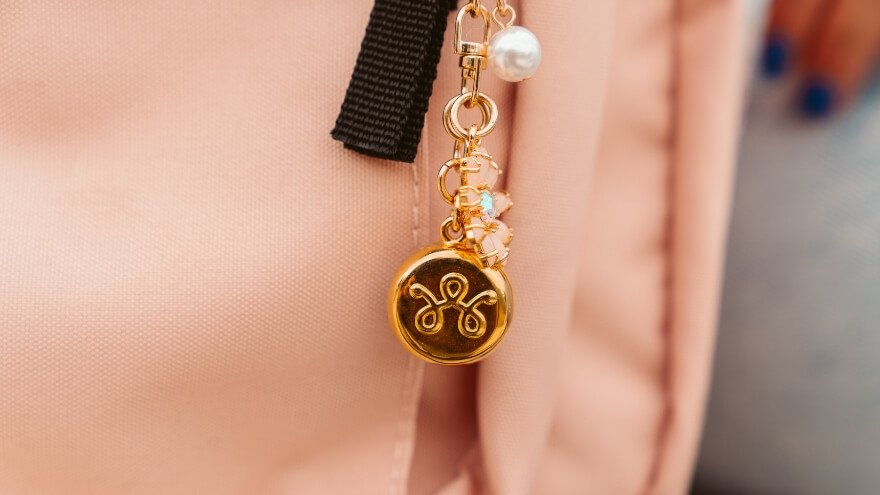
invisaWear is a wearable personal safety device designed to look like ordinary jewelry. Its main purpose is to make requesting help easier during an uncomfortable or potentially dangerous situation. A concealed button connects the accessory to the invisaWear smartphone app, which manages emergency alerts and related safety functions.
- Hidden SOS Button and Emergency Contact Alerts
- ADT Professional Monitoring and 24/7 Reassurance Calls
- Live Video Streaming and SOS Chat
- An active Safety Plan is required, adding an ongoing service cost.
My Quick Thoughts on invisaWear
invisaWear is worth considering for people who want discreet access to emergency assistance without reaching for their phone. I appreciate its hidden SOS button, jewelry-inspired design, and connection to professional safety services. However, it requires a compatible smartphone and active Safety Plan, making ongoing costs and reliable connectivity important considerations.
What Is invisaWear and How Does It Help With Personal Safety?
invisaWear is a wearable personal safety device designed to look like ordinary jewelry. Its main purpose is to make requesting help easier during an uncomfortable or potentially dangerous situation. A concealed button connects the accessory to the invisaWear smartphone app, which manages emergency alerts and related safety functions.
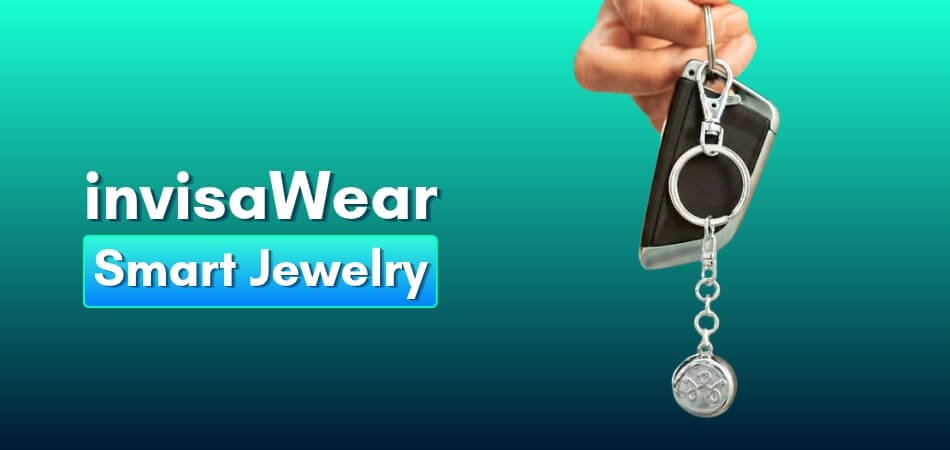
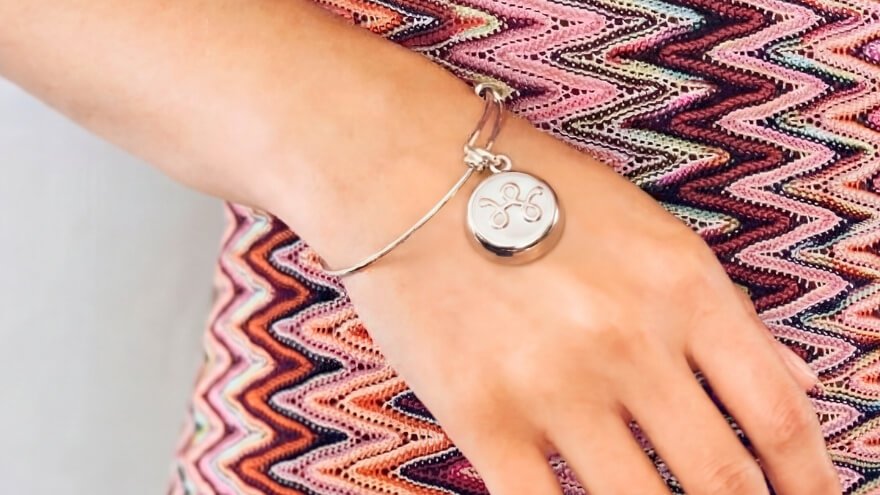
The product is available in different styles, including necklaces, bracelets, and keychains. This gives users several ways to keep the emergency button within reach without carrying an obvious alarm. I particularly appreciate the idea of a safety accessory that fits into an existing daily routine.
The device connects through Bluetooth to a compatible smartphone. It uses the phone’s communication capabilities and location services to support emergency notifications, so the jewelry itself is not an independent cellular or GPS device.
Here are its main characteristics:
| Feature | Important Details |
| Product type | Wearable personal safety jewelry |
| Main function | Hidden emergency SOS button |
| Activation | Intentional double-press |
| Connection | Bluetooth connection to a smartphone |
| Location sharing | Uses smartphone-based location information |
| Emergency contacts | Up to five trusted contacts |
| Professional assistance | ADT safety services through the app |
| Battery | Sealed battery rated for up to three years |
| Charging | No regular charging required |
| Service requirement | Active Safety Plan required for SOS functionality |
What makes invisaWear different from an ordinary accessory is how it combines discreet design with practical safety features. The hidden button provides a convenient way to request help, while the connected smartphone handles location sharing and emergency communication. For anyone looking for personal safety jewelry that fits naturally into everyday life, invisaWear is worth considering.
My First Impression of invisaWear Safety Jewelry
My first impression of invisaWear safety jewelry is genuinely positive because it combines personal safety with a stylish, everyday design. What immediately caught my attention was how the necklaces and bracelets look like regular fashion accessories rather than traditional emergency devices. I love the idea of wearing something attractive that also provides quick access to help when needed.
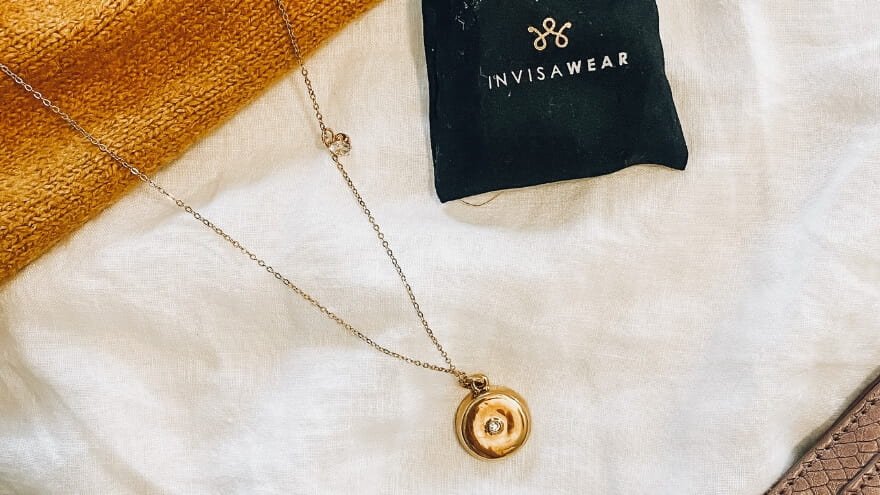
What I appreciate most is the hidden SOS button. With a simple double-press, users can request emergency assistance through their connected smartphone without unlocking it or searching for an app. That is a thoughtful feature, especially in situations where every second matters and using a phone may be difficult.
I also like that invisaWear comes in necklace, bracelet, and keychain styles, making it easier to choose something that matches personal preferences. For me, this flexibility is a big advantage because a safety accessory becomes more practical when it fits naturally into everyday life. After all, the best safety device is one you actually remember to carry.
My overall impression is that invisaWear offers an appealing balance of discreet design, convenience, and personal safety features. The hidden button makes emergency activation easier, while the connected smartphone and active Safety Plan support its alert functions. I particularly like how invisaWear turns an ordinary-looking accessory into a useful personal safety tool.
invisaWear Features and Benefits for Everyday Safety
invisaWear combines a hidden SOS button, emergency contact alerts, ADT professional monitoring, and smartphone-based safety tools to help users request assistance when needed. What I appreciate most is that these features serve different purposes, from discreetly requesting emergency help to staying connected during an uncomfortable situation. Here is how each feature works and why it matters.
Hidden SOS Button and Emergency Contact Alerts
The hidden SOS button is the main feature of invisaWear safety jewelry. With a quick double-press, users can initiate an emergency alert through their connected smartphone without unlocking it or opening the app. This makes requesting help more convenient when using a phone directly is difficult.
invisaWear also supports location sharing and alerts involving up to five trusted emergency contacts. I particularly like this feature because having several people in a safety network provides more flexibility than depending on a single contact. The app uses the smartphone’s location and communication services to support these alerts.
ADT Professional Monitoring and 24/7 Reassurance Calls
invisaWear’s ADT monitoring provides access to trained safety agents who can help users during emergencies or uncomfortable situations. Depending on the circumstances, an agent can communicate with the user, provide reassurance, assess the situation, and help coordinate emergency assistance.
For me, this is one of the most valuable invisaWear features because personal safety is not always about an immediate emergency. Sometimes, having someone available to talk to can make an uncomfortable situation easier to manage. The reassurance service adds that human connection beyond a standard emergency notification.
Live Video Streaming and SOS Chat
invisaWear includes Live Video and SOS Chat, giving users additional ways to communicate with safety agents through the smartphone app. Live Video uses the phone’s camera to share visual information, while SOS Chat allows text-based communication when speaking openly may be difficult.
I appreciate this flexibility because not every situation is suitable for a phone conversation. Being able to communicate through video or chat gives users more options when requesting assistance. Both features require the necessary smartphone connection and an eligible safety service.
Voice Activation With a Secret SOS Phrase
Voice Activation allows invisaWear users to configure a secret phrase for requesting emergency assistance through the smartphone app. This provides an alternative to pressing the jewelry’s hidden button, particularly when reaching the accessory is difficult.
What I like about this feature is the added flexibility. Users have another activation method when physically interacting with the wearable is inconvenient. Voice activation relies on the connected smartphone and its app rather than a microphone inside the jewelry.
Safety Timer and Missed Check-In Alerts
The invisaWear Safety Timer helps users stay connected during activities such as walking home, traveling alone, or visiting unfamiliar places. Users can set a timer for up to four hours and arrange for an alert if they miss the required check-in.
I find this especially practical because it supports everyday safety before an emergency occurs. For example, someone returning home late can set a check-in period rather than remembering to send a message afterward. It is a useful feature for people who want an additional way to keep trusted contacts informed.
Virtual Self-Defense Classes
invisaWear also includes access to virtual self-defense classes associated with instructor Jenn Cassetta. These sessions focus on personal safety techniques and provide an educational addition to the device’s emergency assistance features.
I like that invisaWear goes beyond the physical accessory by including personal safety education. Learning practical techniques can help users become more aware and prepared in different situations. The classes complement the emergency features rather than replacing sensible safety precautions.
What stands out to me is how invisaWear combines discreet emergency activation with several ways to communicate and stay connected. The hidden SOS button handles the initial request for help, while ADT monitoring, chat, voice activation, and the Safety Timer address different personal safety needs. With a compatible smartphone and active Safety Plan, these features make invisaWear a practical option for people who value accessible safety assistance.
How Does invisaWear Work? Hidden SOS Button and Emergency Alerts
invisaWear works by connecting a hidden emergency button to a smartphone through Bluetooth. When the button is double-pressed, the connected app initiates an SOS request, uses the phone’s location information, and supports emergency communication with trusted contacts and ADT safety agents. The system allows users to request help without unlocking or navigating their phone.

Here is how the complete invisaWear emergency process works, from the initial button activation to potential emergency assistance.
| Stage | How invisaWear Works |
| 1. SOS Activation | A double-press activates the hidden emergency button inside the accessory. |
| 2. Bluetooth Communication | The wearable sends its activation signal to the paired smartphone. |
| 3. Emergency Request Processing | The invisaWear app initiates an SOS request through the active Safety Plan. |
| 4. GPS Location Sharing | The smartphone provides location information to support emergency assistance. |
| 5. Emergency Communication | Trusted contacts and ADT safety agents can become involved according to the alert process. |
| 6. Emergency Assistance | ADT agents can assess the situation and help coordinate emergency services when necessary. |
Stage 1: The Hidden SOS Button Activates the Emergency Signal
The emergency process begins inside the invisaWear accessory, which contains InvisaChip technology and a concealed SOS button. When the button detects an intentional double-press, the wearable initiates an emergency activation signal without requiring the user to touch their smartphone.
This small component allows an ordinary-looking necklace, bracelet, or keychain to function as a personal safety device. The double-press mechanism helps distinguish intentional activation from everyday contact with the jewelry, although accidental alerts remain possible.
Stage 2: Bluetooth Transfers the Signal to the Smartphone
Once the button is activated, invisaWear communicates with its paired smartphone through Bluetooth. The accessory acts as the emergency trigger, while the smartphone provides the location and communication capabilities needed to process the request.
The Bluetooth connection operates within an approximate range of 30 feet. For this stage to work, the smartphone must remain powered on, within range, and connected to the wearable, with the invisaWear app able to operate in the background. The jewelry does not have an independent cellular connection.
Stage 3: The invisaWear App Processes the SOS Request
After receiving the Bluetooth activation signal, the invisaWear app begins processing the emergency request through the user’s active Safety Plan. This connects the wearable’s emergency activation with the account’s emergency communication services.
The alert process can include a brief cancellation window to help users stop accidental requests. If the request continues, the app supports the next stages of emergency communication. The smartphone is essential here because the accessory itself cannot independently contact safety agents or emergency services.
Stage 4: Smartphone GPS Supports Emergency Location Sharing
invisaWear uses the connected smartphone’s location services to provide location information during an SOS request. Rather than relying on a GPS receiver inside the jewelry, the system obtains location data through the phone.
This information helps the emergency communication system identify where the user may need assistance. Users can configure up to five trusted emergency contacts, while the order and handling of notifications depend on the account’s alert process and safety services.
Stage 5: ADT Safety Agents Provide Emergency Communication
ADT professional monitoring adds human assistance to invisaWear’s emergency response process. Depending on the situation, a safety agent may contact the user, assess the circumstances, provide reassurance, and help determine whether further assistance is necessary.
The invisaWear app also supports communication methods such as SOS Chat and Live Video when available through the user’s service. These functions use the smartphone to provide additional information, helping safety agents understand what is happening without relying entirely on a voice conversation.
Stage 6: Emergency Services Can Be Contacted When Necessary
When an emergency requires outside intervention, ADT safety agents can help coordinate contact with 911 in the United States and Canada. This adds professional assistance beyond the wearable’s initial activation and smartphone-based location sharing.
The actual response depends on the emergency circumstances, successful communication, and the actions taken by the relevant services. Sending an SOS does not automatically guarantee police dispatch or a particular response time.
What I appreciate most about how invisaWear works is the separation between activating an emergency request and handling the communication afterward. The jewelry provides a simple, discreet trigger, while the connected smartphone and safety services handle the more complex process. For me, this is the main practical advantage of invisaWear’s hidden SOS technology, especially when reaching for a phone may be difficult.
invisaWear Smartphone Compatibility and Bluetooth Requirements
invisaWear needs a compatible smartphone nearby to operate its wearable SOS function. The accessory does not independently send emergency messages over cellular networks, and its Bluetooth connection is an essential part of the system.
The supported requirements include:
| Requirement | Details |
| Apple devices | iOS 13.0 or later |
| Android devices | Android 9.0 or later |
| Bluetooth distance | Approximately 30 feet |
| Smartphone | Must be powered on and nearby |
| App status | Must remain able to operate in the background |
| Permissions | Bluetooth, location, and relevant notifications |
| Communication | Working phone connectivity for emergency communication |
| Account | Active Safety Plan for button-triggered SOS |
I consider the 30-foot operating distance especially important. Someone who leaves their phone in a locker, another room, or a vehicle may be unable to activate the intended SOS communication from the accessory.
Users also need to keep the necessary permissions enabled and avoid force-closing the app. My recommendation is to treat the smartphone as an essential part of the safety device, not merely something required during initial setup.
My Experience Exploring invisaWear’s Safety Features
What I appreciate most about invisaWear’s safety features is how they support different personal safety needs, from requesting emergency assistance to staying connected during everyday activities. The hidden SOS button provides discreet access to help, while ADT monitoring, the Safety Timer, and other app-based functions add flexibility. For me, the real value comes from how these features fit into situations where people may feel vulnerable.

Where I Find invisaWear Most Practical
While exploring its features, I found several everyday situations where invisaWear could be particularly useful:
- Walking Home Alone: The Safety Timer allows users to set a check-in period, making it useful for evening walks or trips through unfamiliar areas.
- Facing an Emergency: The hidden SOS button lets users initiate an assistance request through their connected phone without unlocking the screen.
- Feeling Unsafe: ADT reassurance calls provide access to trained safety agents who can offer support and help assess the situation.
- Unable to Speak Freely: SOS Chat provides an alternative way to communicate with safety agents through the smartphone app.
What Matters Most to Me
My favorite part is that invisaWear offers more than one way to request help. I particularly like the combination of discreet SOS activation and professional safety assistance because different situations call for different responses.
I also appreciate how the features encourage everyday preparedness rather than focusing only on emergencies. However, keeping the smartphone connected, maintaining an active Safety Plan, and understanding the alert process are essential to getting the most from the device.
My overall impression is positive. invisaWear brings several useful personal safety tools into one connected system, making it worth considering for people who want a convenient way to stay prepared without carrying an obvious emergency device.
How to Set Up and Use invisaWear Step by Step
Setting up invisaWear involves installing the companion app, connecting the safety jewelry through Bluetooth, activating a Safety Plan, and configuring emergency contacts. The process is designed to connect the wearable’s hidden SOS button with the smartphone’s emergency communication features. I recommend completing every step and checking the connection before relying on the device for personal safety.
Initial Setup and Pairing
Follow these seven steps to prepare invisaWear for everyday use.
Step 1: Download and Install the invisaWear App
Start by downloading the invisaWear app on a compatible smartphone. The app supports iPhones running iOS 13.0 or later and Android devices running Android 9.0 or later.
Open the app after installation and follow the initial instructions. Keep your smartphone nearby throughout the setup process.
Step 2: Create Your Account and Activate the Safety Plan
Create an invisaWear account or sign in if you already have one. Complete the required account information and activate the appropriate Safety Plan, which is necessary for the wearable’s SOS functionality.
The Safety Plan connects the accessory to its emergency assistance services. Check the applicable subscription terms before activation so you understand the ongoing cost.
Step 3: Enable Bluetooth and Pair Your invisaWear Device
Turn on Bluetooth in your smartphone’s settings and open the invisaWear app. Follow the pairing instructions to connect your necklace, bracelet, or keychain to the phone.
Keep the accessory close during pairing and confirm that the app recognizes the device. Once connected, the accessory can communicate its SOS activation signal to the smartphone while it remains within Bluetooth range.
Step 4: Allow the Required Smartphone Permissions
Give the invisaWear app access to the permissions needed for its safety functions, including Bluetooth, location services, and notifications.
These permissions allow the connected system to communicate with the wearable, access smartphone location information, and support emergency notifications. Keep the app enabled for background operation rather than force-closing it.
Step 5: Add Your Trusted Emergency Contacts
Open the emergency contact settings and add the people you want included in your safety network. invisaWear supports up to five trusted emergency contacts, giving users flexibility when configuring who may receive safety notifications.
I recommend choosing people who are familiar with your routine and understand what an emergency alert means. Check their phone numbers and contact information carefully before saving the settings.
Step 6: Configure Your Personal Safety Features
After pairing the accessory, review the safety settings available in the app. Depending on your service, you can configure functions such as a secret SOS phrase for Voice Activation and the Safety Timer for scheduled check-ins.
Take time to understand how each function operates. I particularly recommend becoming familiar with the Safety Timer if you frequently walk alone, travel after dark, or visit unfamiliar places.
Step 7: Check the Connection With a Test Alert
Once setup is complete, use the app’s Test Alert feature to check the connection and become familiar with the emergency activation process.
This is an important final step because it helps confirm that the accessory and smartphone are communicating properly. I recommend repeating the practice check approximately once a month, using the dedicated Test Alert function rather than activating a real emergency request.
Daily User Guide: Using invisaWear After Setup
Using invisaWear involves keeping the accessory connected to your smartphone and selecting the safety function that matches your situation. Once the initial configuration is complete, the main functions can be accessed through the wearable or companion app.
Here is a simple everyday user guide:
- Request emergency help: Double-press the hidden SOS button to initiate an emergency request through the connected smartphone.
- Use Voice Activation: Speak your configured secret SOS phrase when the feature is enabled and the necessary smartphone conditions are met.
- Start a Safety Timer: Set a check-in period of up to four hours through the app when walking, traveling, or completing an activity.
- Communicate with safety agents: Use available SOS Chat, Live Video, or reassurance services when appropriate.
- Check device readiness: Keep your phone powered on, maintain Bluetooth connectivity, and allow the app to run in the background.
The wearable operates within an approximate 30-foot Bluetooth range, so keeping the smartphone nearby is essential. I also recommend paying attention to connection status and battery notifications, particularly before leaving home.
What I like about this setup is that everyday operation centers on a small number of familiar actions. Once users understand the SOS button, app features, and connectivity requirements, invisaWear becomes easier to incorporate into a regular personal safety routine.
Accidental Alerts and Cancellation
invisaWear includes a cancellation process to help users stop an emergency request triggered by mistake. Certain alert flows provide a brief cancellation window of approximately 15 seconds, and the app may require a four-digit PIN to cancel an alert.
If you accidentally activate the SOS function, follow these steps:
- Check your smartphone immediately for the emergency alert or cancellation screen.
- Select the cancellation option within the available window, if it appears.
- Enter your security PIN when the app requests it.
- Respond to any contact from a safety agent and explain that the activation was accidental.
- Review the activation process afterward to reduce the chance of repeating the mistake.
Cancellation options depend on the stage of the alert, so users should not assume that every request can be stopped once emergency communication has progressed.
I recommend learning the cancellation process during initial setup and practicing through the app’s Test Alert feature. Knowing both how to request assistance and how to handle an accidental activation makes the system easier to use with confidence.
What I Like About invisaWear’s Jewelry Design
What I like most about invisaWear’s jewelry design is how it combines everyday fashion with discreet personal safety. The necklaces, bracelets, and keychains look like regular accessories while keeping a hidden SOS button within reach. I particularly appreciate that the design focuses on convenience without making the safety function obvious.

Three design features stand out to me the most.
1. Stylish Jewelry That Looks Natural With Everyday Outfits
My favorite thing about invisaWear safety jewelry is its fashionable appearance. The necklaces and bracelets resemble ordinary accessories, making them easy to pair with casual clothing, work outfits, or more formal styles.
I like that the jewelry does not immediately look like a personal safety device. For someone who enjoys wearing accessories, this makes invisaWear an appealing way to incorporate an emergency button into an everyday routine. It combines an attractive appearance with a practical purpose.
2. A Hidden SOS Button That Keeps the Design Discreet
The concealed SOS button is another design detail I genuinely appreciate. Unlike traditional personal alarms with obvious buttons, invisaWear keeps its emergency activation function integrated into the accessory.
A simple double-press can initiate an SOS request through the connected smartphone without requiring the user to unlock the screen. I particularly like this approach because it keeps the jewelry looking elegant while making emergency activation more accessible. The discreet design is especially useful for people who prefer not to draw attention to their safety accessories.
3. Multiple Designs to Match Different Personal Preferences
I also like that invisaWear comes in necklace, bracelet, and keychain styles. This gives buyers the flexibility to choose an accessory that matches their preferences and everyday habits.
For example, someone who regularly wears jewelry may prefer a necklace or bracelet, while another person may find a keychain more convenient. I appreciate having these choices because a personal safety device is more practical when it is something people feel comfortable carrying regularly.
For me, the best part of invisaWear’s design is that personal safety does not have to come at the expense of personal style. Its attractive appearance, concealed emergency button, and variety of accessory options make it a thoughtful combination of fashion and functionality. I would personally prioritize a design that remains comfortable and easily accessible throughout the day.
My Assessment of invisaWear’s Design and Build Quality
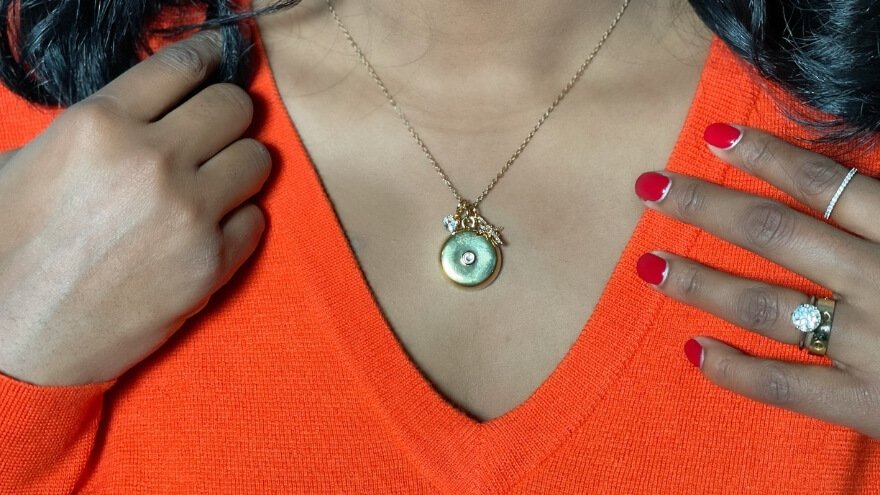
invisaWear uses jewelry-inspired construction with different materials and finishes across its product range. Selected models use brass with gold or rhodium plating, while particular styles include nickel-free construction.
Materials and Appearance
Some necklace options feature an 18-inch chain with a two-inch extender, giving users a degree of adjustment. The finishes create a polished appearance that fits the product’s goal of blending safety technology with everyday jewelry.
I appreciate the variety, but material specifications should be checked for the exact model being purchased. Not every necklace, bracelet, and keychain uses identical construction.
Comfort and Durability
The sealed design removes the need for routine battery charging, which also reduces the number of tasks involved in maintaining the accessory. That is convenient for a device intended to be available every day.
Some invisaWear accessories are suitable for ordinary sweat and weather exposure, but water protection differs between models. I would not assume every style is appropriate for swimming, showering, or prolonged submersion.
Battery Life and Maintenance
The battery is rated for up to three years, with no regular charging required. Actual life can depend on operating conditions, and the app can provide a low-battery notification.
Because the battery is sealed, replacement involves the accessory or applicable replacement service rather than simply plugging it into a charger. This makes replacement eligibility and long-term service costs important considerations.
How Reliable Is invisaWear During an Emergency?
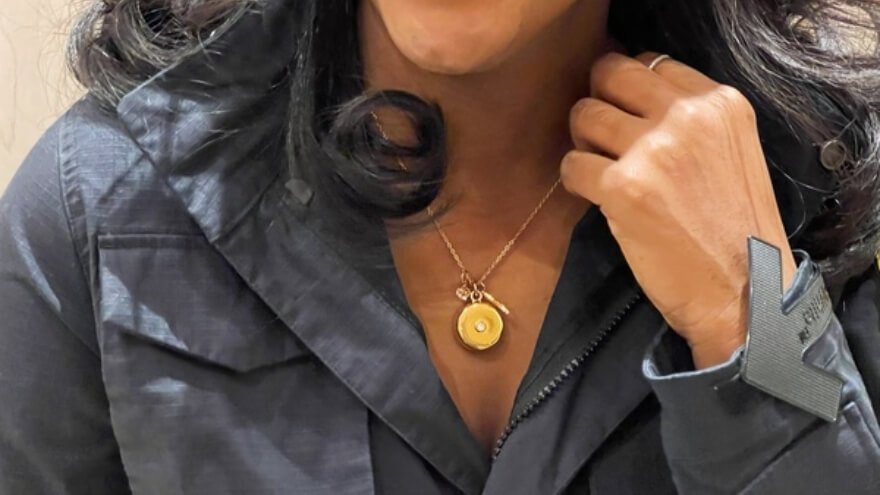
invisaWear’s emergency reliability depends on several connected parts working together. The accessory needs to communicate with the phone, the app needs to function, and the phone needs the appropriate connectivity for the alert to progress.
Factors Affecting SOS Reliability
The main conditions include:
- A working Bluetooth connection between the accessory and phone.
- A compatible smartphone within operating range.
- Required app permissions and background operation.
- Suitable phone connectivity for emergency communication.
- An active Safety Plan.
- Correctly configured safety contacts and emergency preferences.
An interruption at any of these points can affect the intended alert process. For that reason, I would never treat invisaWear as a substitute for every other emergency communication method.
Emergency Response Expectations
A successful SOS activation is not the same as immediate police or ambulance arrival. The process can involve sending information, communicating with a safety agent, assessing the situation, and coordinating with emergency services.
I value having professional assistance available, but response timing depends on the circumstances and the services involved. The most practical expectation is that invisaWear provides an additional way to request help, not a guaranteed response within a fixed number of seconds.
invisaWear Safety, Privacy, and Important Limitations
invisaWear offers useful personal safety functions, but understanding its limitations is essential before relying on it. I consider this one of the most important parts of evaluating any emergency-related product.

Smartphone and Connectivity Dependence
The wearable requires a nearby compatible phone, so it is not a standalone emergency communicator. If the phone is unavailable, disconnected, powered off, or unable to communicate, the jewelry’s SOS function may not operate as intended.
The active Safety Plan is another essential requirement. Buyers should understand that the button-triggered emergency service is not a completely independent, subscription-free feature.
Location and International Coverage
invisaWear supports use in multiple countries, with a stated reach of 79 countries. However, geographic availability and access to local emergency services are different considerations.
The 911 assistance described for the service applies to the United States and Canada. Anyone planning international travel should check which safety functions are supported at the destination before depending on the accessory.
Personal Information and Privacy
Emergency assistance involves sensitive information, including location data, trusted contact details, and relevant account information. Some features can also involve communication with professional safety agents.
I recommend reviewing the app’s privacy settings and choosing emergency contacts carefully. It is equally sensible to explain to those contacts how alerts work so they know what to do when they receive one.
Important Safety Boundaries
invisaWear does not automatically detect every emergency, prevent an attack, or guarantee that outside assistance will arrive. It is also not a replacement for a dedicated medical monitoring system with automatic fall detection.
I see it as an additional personal safety tool that works best alongside awareness, planning, and other appropriate precautions.
invisaWear vs Other Personal Safety Devices: Which Is Better?
invisaWear stands out from traditional personal safety devices because it combines discreet SOS activation, smartphone-based location sharing, and access to professional safety assistance in a jewelry-style accessory. Unlike audible personal alarms, it focuses on quietly requesting help rather than attracting attention through sound. However, smartphone SOS features and medical alert devices may be better suited to different safety needs.
Here is a feature-by-feature comparison of invisaWear vs other personal safety devices to help you understand the main differences.
| Features | invisaWear | Smartphone SOS | Audible Personal Alarm | Medical Alert Device |
| Primary purpose | Discreet personal safety assistance | Emergency communication | Attracting nearby attention | Medical and personal emergency assistance |
| Emergency activation | Hidden double-press button | Phone-based emergency controls | Physical alarm button or pin | Dedicated emergency button |
| Discreet activation | Yes, through jewelry | Depends on phone access | Generally no | Depends on device design |
| Smartphone required | Yes, within Bluetooth range | Uses the smartphone itself | Usually no | Depends on model |
| GPS location sharing | Yes, through connected phone | Available on supported devices | Generally no | Available on selected models |
| Professional monitoring | ADT safety agents | Depends on device and service | Not normally included | Available on selected models |
| Emergency contact alerts | Up to five trusted contacts | Depends on phone features | Not normally included | Depends on service |
| Loud alarm sound | Not its primary function | Depends on phone settings | Yes | Depends on model |
| Everyday design | Necklace, bracelet, and keychain | Smartphone | Handheld or keychain alarm | Pendant, wristband, or dedicated device |
| Ongoing service cost | Active Safety Plan required | Depends on existing phone service and features | Usually no subscription | Often depends on monitoring plan |
| Best suited for | Discreet wearable SOS assistance | Phone-based emergency access | Immediate audible attention | People with medical or dedicated monitoring needs |
Where invisaWear Has an Advantage
The biggest advantage of invisaWear is its discreet emergency activation combined with connected safety assistance. Unlike traditional personal alarms that rely on loud sounds, invisaWear allows users to initiate an SOS request through a hidden button in their jewelry. I particularly appreciate this design because it provides another way to request help without unlocking or navigating a smartphone.
Another meaningful advantage is access to ADT professional monitoring and trusted emergency contacts. This adds communication and assistance options beyond simply drawing attention to an uncomfortable situation. For people who regularly carry their smartphones and prefer an accessory that blends into everyday clothing, invisaWear offers an appealing combination of convenience and safety functionality.
Where Another Personal Safety Device May Be Better
A traditional audible alarm may be more appropriate for someone who wants to attract immediate attention from nearby people. These devices generally do not require smartphone connectivity, making them useful when a phone is unavailable.
Similarly, certain dedicated medical alert devices provide independent communication or automatic fall detection, depending on the model. These may better suit people with specific medical monitoring needs. Smartphone SOS features can also be sufficient for users who are comfortable accessing emergency functions directly from their phones.
My Comparison and Recommendation
I prefer invisaWear for people who prioritize discreet activation, wearable convenience, and access to connected safety services. Its jewelry-inspired design makes it appealing for everyday use, while the hidden SOS button provides a practical alternative to operating a phone during a stressful situation.
However, the right choice depends on personal needs. invisaWear requires a nearby compatible smartphone and an active Safety Plan, so it is not the best solution for someone seeking completely independent emergency communication. For buyers who understand these requirements, I consider invisaWear a strong option among wearable personal safety accessories.
Who Should Consider Using invisaWear Safety Jewelry?
invisaWear is best suited for people who want discreet emergency assistance while keeping a compatible smartphone nearby. Its hidden SOS button, location-sharing features, and access to ADT safety agents make it a practical option for people who regularly travel alone, work in unfamiliar environments, or want an extra layer of personal safety.

People Who May Benefit Most From invisaWear
invisaWear can be particularly useful for people whose daily routines involve traveling alone, visiting unfamiliar places, or spending time away from home. I find its discreet design and smartphone-connected safety features especially appealing for the following groups.
Students and College Students
invisaWear can be useful for students who regularly travel between campuses, housing, and public transportation. Its hidden emergency button provides a discreet way to request help without unlocking a smartphone. I particularly like the Safety Timer for students returning home after evening classes or activities.
Women Who Travel or Commute Alone
For women who frequently commute, walk through parking areas, or travel after dark, invisaWear offers convenient access to emergency assistance. The jewelry design allows the safety device to blend naturally into everyday outfits. I appreciate how it combines personal style with a practical safety function.
Runners and Evening Walkers
Runners and walkers may appreciate having a wearable SOS button within easy reach. The Safety Timer also supports scheduled check-ins during outdoor activities. This makes invisaWear a useful companion for people who exercise alone while keeping their connected smartphones nearby.
Real Estate Agents and Working Professionals
Real estate agents and professionals who meet unfamiliar clients or visit different locations may benefit from discreet emergency activation. Access to ADT reassurance services adds another communication option during uncomfortable situations. I find this especially practical for people whose jobs regularly take them outside familiar environments.
People Living Independently
invisaWear can appeal to adults who live alone and want an additional way to contact trusted people during an emergency. Its hidden SOS button and professional safety services provide support without requiring a traditional-looking emergency accessory. However, it is not a replacement for a medical alert device with automatic fall detection.
Family Members Looking for a Safety Gift
I also consider invisaWear a thoughtful gift option for family members who value personal safety. Its necklace, bracelet, and keychain designs make it easier to choose an accessory that matches the recipient’s preferences. Before purchasing, I would confirm that the recipient has a compatible smartphone and is comfortable maintaining an active Safety Plan.
People Who May Benefit More From Other Safety Devices
Although invisaWear provides several practical safety features, it may not suit everyone. I recommend considering alternatives in the following situations:
- People Who Do Not Carry a Smartphone Regularly: invisaWear requires a nearby compatible smartphone and Bluetooth connection for its wearable SOS function. A device with independent communication capabilities may be more appropriate.
- People Who Need Dedicated Medical Monitoring: Those who require automatic fall detection or specialized medical emergency monitoring may benefit more from a dedicated medical alert system.
- People Who Prefer a One-Time Purchase: invisaWear requires an active Safety Plan for its core SOS functionality. A conventional audible personal alarm may be a better option for buyers who want to avoid recurring service charges.
I find invisaWear most appealing for students, commuters, solo walkers, and working professionals who want discreet access to emergency assistance. Its greatest value comes from combining wearable convenience with smartphone-connected safety services. For the right user, it can be a useful addition to everyday personal safety planning.
What I Like Most About invisaWear
What I like most about invisaWear is its combination of discreet safety jewelry, multiple emergency assistance options, and a low-maintenance battery. These features make it a practical personal safety accessory for everyday use. I particularly appreciate how the design prioritizes convenience without making the emergency function obvious.
1. Discreet Safety That Fits Everyday Life
My favorite aspect of invisaWear is how naturally it combines personal safety with everyday fashion. The hidden SOS button allows users to request assistance without unlocking their smartphones, while the necklace, bracelet, and keychain designs look like regular accessories.
I appreciate this approach because a safety device is more useful when people feel comfortable wearing or carrying it regularly.
2. Multiple Ways to Request Assistance
Another feature I genuinely appreciate is the flexibility of invisaWear’s safety system. It combines trusted contact alerts, ADT professional monitoring, SOS Chat, Voice Activation, and the Safety Timer to support different situations.
For me, having several communication options is valuable because not every uncomfortable situation requires the same response. Users can access different safety functions depending on their needs and available services.
3. Long Battery Life Without Regular Charging
I also like invisaWear’s sealed battery, which is rated to last up to three years without regular charging. This removes one common maintenance task associated with electronic accessories.
The smartphone connection and active Safety Plan still need attention, but the wearable itself does not require a daily charging routine. I find that especially appealing for an accessory intended to remain available throughout the day.
Overall, I appreciate invisaWear because it focuses on convenience, discreet emergency access, and everyday preparedness. Its combination of wearable design and connected safety services makes it worth considering for people who want personal safety support without carrying an obvious emergency device.
invisaWear Pros and Cons: Key Advantages and Drawbacks
invisaWear stands out for its discreet SOS activation, professional safety assistance, and stylish everyday design. Compared with conventional personal alarms, it provides additional communication and safety features without relying on a loud alarm. I particularly appreciate its convenience, although a few practical requirements are worth considering before buying.
invisaWear’s advantages make it an appealing choice for people who value discreet emergency assistance and everyday convenience. Its combination of safety jewelry, professional monitoring, and multiple communication options offers useful flexibility. The main considerations are smartphone connectivity and the required Safety Plan, both of which are important to understand before purchasing.
invisaWear Price, Subscription Cost, and Value for Money
invisaWear is currently listed at $99.99 for its featured necklace, bracelet, and keychain options, with savings of up to $100. I find the promotional pricing appealing because buyers can choose their preferred jewelry style without paying a different featured price. However, the required Safety Plan and its ongoing cost should also be considered when evaluating the total purchase.
invisaWear Jewelry Prices and Current Discounts
The current invisaWear promotion includes three accessory options, each priced at $99.99. The necklace and bracelet are reduced from $199.99, while the keychain is reduced from $149.99.
| Product | Sale Price | Shipping |
| invisaWear Necklace | $99.99 | Free U.S. Shipping |
| invisaWear Bracelet | $99.99 | Free U.S. Shipping |
| invisaWear Keychain | $99.99 | Free U.S. Shipping |
What I like about this pricing is that all three featured options share the same sale price. This makes choosing between a necklace, bracelet, or keychain more about personal preference and everyday convenience. The discounts are promotional, so the final price should be confirmed at checkout.
invisaWear Safety Plan and Subscription Cost
invisaWear requires an active Safety Plan for its wearable SOS functionality. This means the jewelry’s purchase price is only one part of the total ownership cost.
The current promotional page does not display a specific monthly or annual Safety Plan fee. Buyers should check the available plan charges, billing frequency, and renewal conditions before completing their purchase.
The page also highlights free device replacement with a qualifying two-year plan. I consider that a useful potential benefit for long-term ownership, although replacement eligibility depends on the plan’s conditions.
Shipping, Payment Options, and Money-Back Guarantee
The invisaWear promotion includes several purchasing benefits that make the initial order more attractive.
- 30-Day Money-Back Guarantee: Buyers can return invisaWear within the advertised 30-day satisfaction period, subject to the applicable return conditions.
- Free U.S. Shipping: The promotion features free, fast shipping within the United States on qualifying orders.
- International Shipping: International delivery is also available, with costs and eligibility depending on the destination and order.
- Flexible Payment Options: Klarna, Affirm, and Afterpay are displayed as available financing providers, with payment terms depending on eligibility and checkout options.
I particularly appreciate the combination of promotional pricing and a 30-day satisfaction guarantee. The financing options may also make the initial purchase easier to manage, although installment payments should not be confused with the separate Safety Plan subscription.
For me, its value comes from combining an attractive accessory, hidden SOS activation, and access to safety services. I would recommend comparing the accessory price with the full Safety Plan cost before deciding. If the ongoing service fits your budget and the features match your needs, invisaWear is worth considering.
How to Buy invisaWear and What to Know Before Ordering
Buying invisaWear is straightforward: visit the purchase page, choose your preferred safety jewelry, review the Safety Plan requirements, and complete checkout. The featured necklace, bracelet, and keychain are listed at $99.99 each. I recommend checking the complete purchase details before placing an order, especially subscription costs, shipping, and return conditions.

Step-by-Step Guide to Ordering invisaWear
Here is a quick overview of the six steps involved in purchasing invisaWear:
- Visit the invisaWear purchase page.
- Choose your preferred necklace, bracelet, or keychain.
- Review the required Safety Plan and subscription costs.
- Check shipping options and purchase protection.
- Enter your details and complete checkout.
- Save your order confirmation for future reference.
Follow the instructions below to complete each step.
Step 1: Explore the Available Product Options
Start by visiting the invisaWear purchase page, where you can explore the available necklace, bracelet, and keychain options. Review the different designs, product details, and current promotional prices before selecting your preferred accessory.
Step 2: Choose Your Preferred Jewelry Style
Select the invisaWear accessory that best matches your personal style and daily routine. You can choose a necklace, bracelet, or keychain, depending on how you prefer to wear or carry your safety device.
I recommend choosing an option that remains comfortable and easy to access throughout the day. A safety accessory is most useful when you can reach it conveniently.
Step 3: Review the Safety Plan Requirements
Before completing your purchase, review the available invisaWear Safety Plan details. An active plan is required for the wearable’s SOS functionality, so check the subscription cost, billing frequency, and renewal conditions.
This step is important because the jewelry price does not represent the complete ownership cost. I would make sure the ongoing charges fit my budget before proceeding.
Step 4: Check Shipping and Purchase Protection
Review the delivery information and confirm whether your order qualifies for free U.S. shipping. International delivery options and charges depend on the destination.
The purchase promotion also includes a 30-day money-back guarantee. I recommend reviewing the return conditions and any applicable replacement benefits before ordering.
Step 5: Complete the Checkout Process
Once you have selected your accessory and reviewed the purchase conditions, click the relevant Buy Now button and proceed to checkout.
Enter your shipping and payment information, review the final order total, and confirm your purchase. The purchase page also displays Klarna, Affirm, and Afterpay as financing options, subject to eligibility and checkout availability.
Step 6: Save Your Order Confirmation
After completing your purchase, keep your order confirmation and payment details for future reference. These can be useful for tracking your order, contacting customer support, or requesting assistance with returns.
When your invisaWear accessory arrives, you can install the companion app, pair the device with your smartphone, and configure its safety features.
I would choose the invisaWear style that fits my everyday routine rather than focusing only on appearance. The featured $99.99 pricing makes the available designs appealing, but understanding the Safety Plan and purchase conditions is equally important. Once those details match your needs and budget, you can complete your order with greater confidence.
Frequently Asked Questions About invisaWear
Beyond its main safety features, buyers often have practical questions about emergency contacts, phone settings, jewelry maintenance, and account requirements. These answers cover additional details that can make owning and using invisaWear easier.
Do I Need an Existing ADT Account to Use invisaWear?
No, you do not need an existing ADT home security account to use invisaWear. The service connects users with ADT safety agents through the invisaWear app and its required Safety Plan. You can access the supported professional assistance features without installing a separate ADT home security system.
Do My Emergency Contacts Need the invisaWear App?
No, emergency contacts do not need to download the invisaWear app to receive SOS text messages. The system can send notifications containing the user’s location to their registered mobile numbers. I recommend letting each contact know they have been selected so they recognize an emergency message and understand its importance.
What Should Someone Do After Receiving an invisaWear Emergency Alert?
An invisaWear emergency contact should take the notification seriously, review the location information, and try to reach the person who requested help. If there is reason to believe the person is in immediate danger, contacting local emergency services may be appropriate. I recommend discussing an emergency response plan with trusted contacts beforehand so everyone understands what to do.
Can I Receive invisaWear Emergency Calls When My Phone Is on Silent?
On supported iPhones, the Emergency Bypass setting can allow calls from saved invisaWear emergency numbers to ring even when the phone is silent or Do Not Disturb is enabled. Users should save the emergency caller numbers provided in the setup instructions and enable the appropriate contact settings. This helps make important calls easier to notice.
Can invisaWear Send Emergency Alerts Using Wi-Fi Instead of Cellular Data?
Yes, invisaWear can use the connected smartphone’s Wi-Fi connection to send an emergency alert when cellular data is unavailable. The accessory must still communicate with the phone through Bluetooth, and the app needs a working internet connection. If neither mobile data nor Wi-Fi is available, the app cannot transmit its normal online emergency request.
Can I Transfer invisaWear to a New iPhone or Android Phone?
Yes, invisaWear can be connected to a new compatible smartphone, but the accessory may need to be transferred from its previous phone first. If it remains associated with the old device, customer support can assist with the transfer. I recommend checking the connection and completing a practice alert after pairing it with the new phone.
Does My Phone’s Battery Saver Affect the invisaWear App?
Battery-saving settings can interfere with invisaWear if they restrict the app’s background activity. This matters because the app needs to remain available to receive the accessory’s Bluetooth signal. On Android devices, I recommend checking the battery optimization settings and allowing invisaWear to operate in the background so the phone does not unnecessarily restrict it.
How Should I Clean and Store invisaWear Jewelry?
invisaWear jewelry should be handled gently to protect its finish and internal electronics. A soft jewelry cloth is a suitable choice for cleaning, while harsh jewelry cleaners, perfumes, lotions, and hairsprays should be kept away from the accessory. I recommend storing it in a jewelry box when not in use and avoiding unnecessary moisture exposure.
Can Teenagers Under 18 Use invisaWear Safety Jewelry?
Yes, invisaWear can be used by minors under the applicable account requirements. A parent or legal guardian must create the account, provide the necessary information, and accept the service terms on the minor’s behalf. I recommend parents also help younger users understand how the emergency features work and when to activate them.
Is invisaWear Suitable for People With Sensitive Skin or Nickel Allergies?
Some invisaWear jewelry styles feature nickel-free materials, which may appeal to buyers concerned about nickel exposure. However, materials and finishes vary between designs, so not every accessory should be treated as hypoallergenic. I recommend checking the exact material composition of the selected necklace or bracelet before buying, especially if you have a known metal allergy.
My Final Thoughts: Is invisaWear Worth Buying?
Yes, invisaWear is worth considering for anyone who wants discreet, wearable personal safety assistance. Its hidden SOS button, stylish jewelry designs, and access to ADT safety services make it especially appealing for students, commuters, and people who frequently travel alone. I particularly appreciate how it makes requesting help easier without unlocking a smartphone.
What makes this invisaWear Review particularly positive is the product’s combination of convenience, practical safety features, and everyday usability. The main considerations are its smartphone connection and required Safety Plan. For buyers comfortable with these requirements and the ongoing cost, invisaWear offers meaningful value as an additional personal safety tool.
I recommend invisaWear to people who want an accessible emergency button without carrying an obvious safety device. It is not a replacement for independent emergency communicators or medical alert systems, but for everyday preparedness, invisaWear is a practical and worthwhile option.
invisaWear is a wearable personal safety device designed to look like ordinary jewelry. Its main purpose is to make requesting help easier during an uncomfortable or potentially dangerous situation. A concealed button connects the accessory to the invisaWear smartphone app, which manages emergency alerts and related safety functions.
- Hidden SOS Button and Emergency Contact Alerts
- ADT Professional Monitoring and 24/7 Reassurance Calls
- Live Video Streaming and SOS Chat
- An active Safety Plan is required, adding an ongoing service cost.


